Share your presentation as a movie.
Save Keynote presentations as movies that you can post online or share directly with others. Use video presentations as instructional material for students to take home, for posting to parent newsletters and more.

Save Keynote presentations as movies that you can post online or share directly with others. Use video presentations as instructional material for students to take home, for posting to parent newsletters and more.
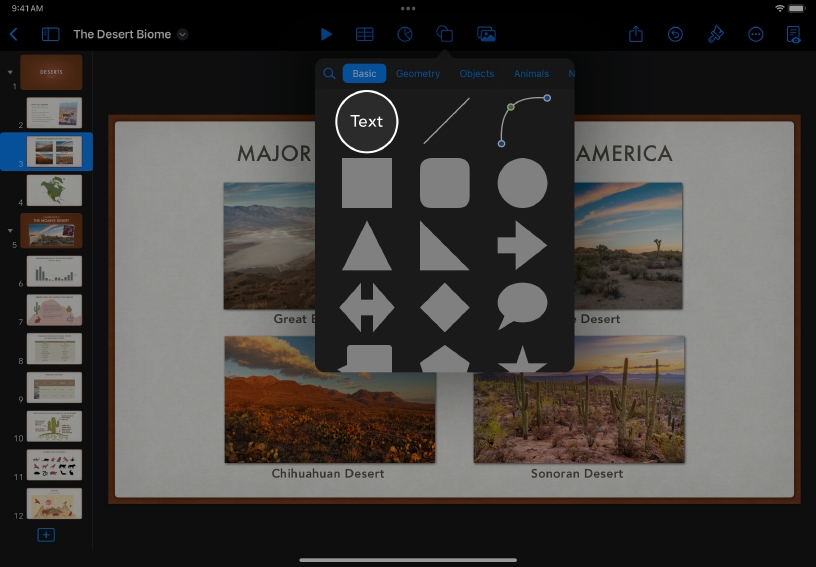
Consider inserting additional information that might help viewers understand your shared presentation, such as captions for photos. Tap Shape  , then tap Text to add a text box.
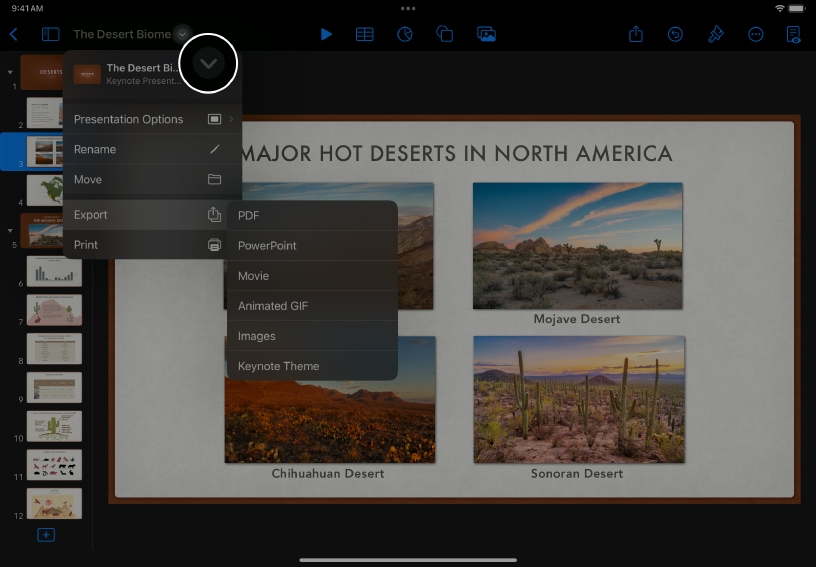
Export your presentation. Tap Action Menu  , then tap Export and choose Movie.
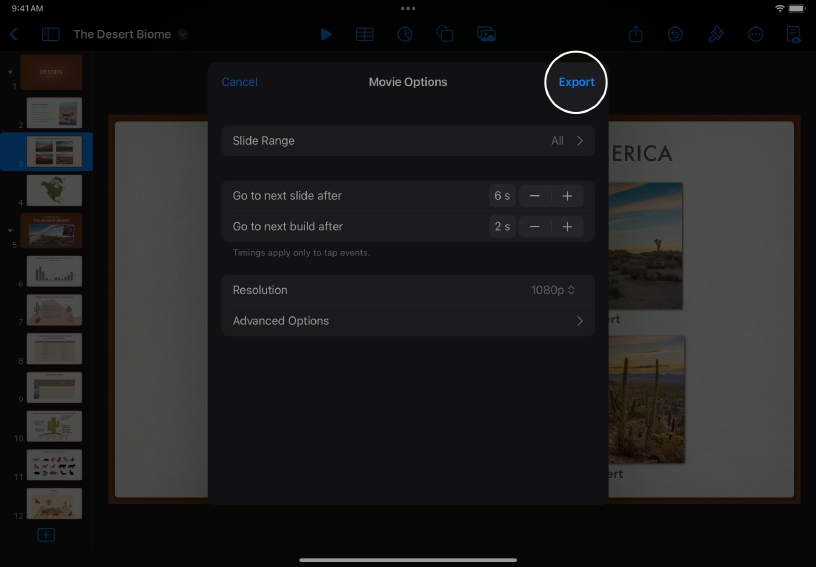
Set the movie options. You can choose which slides will be included in your movie and how long each one will appear onscreen. Tap Export.
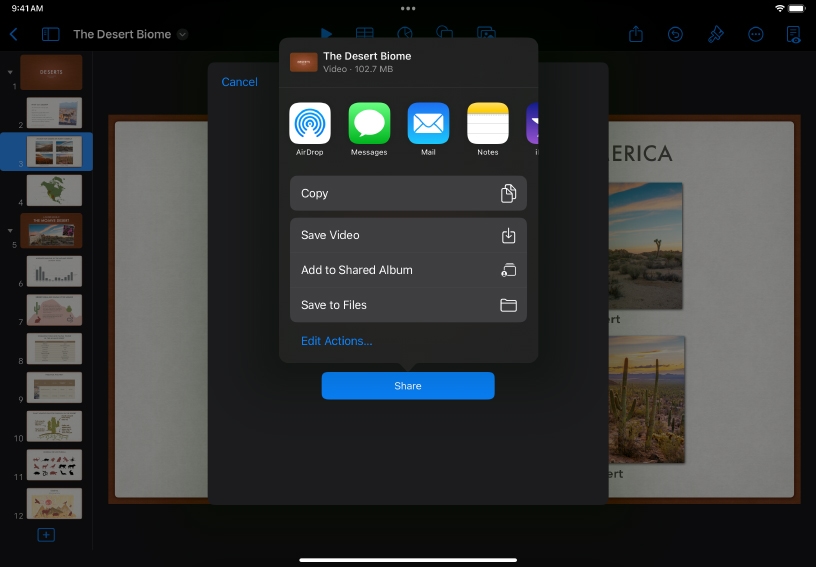
Tap an option for sending or tap Save Video to add the video to your Photos library.
Make a flashcard review video. Create a series of slide pairs with alternating terms and definitions, then export the presentation as a movie to share with students.
Create instructional support videos. Use shapes, images, text and animations to reinforce lab safety procedures, outline steps for solving equations or demonstrate how to complete everyday classroom tasks.
You can incorporate slides from Keynote into videos created with iMovie. Export slides as movies or images, then add them to your video in iMovie.
Learn more about adding your videos to iMovie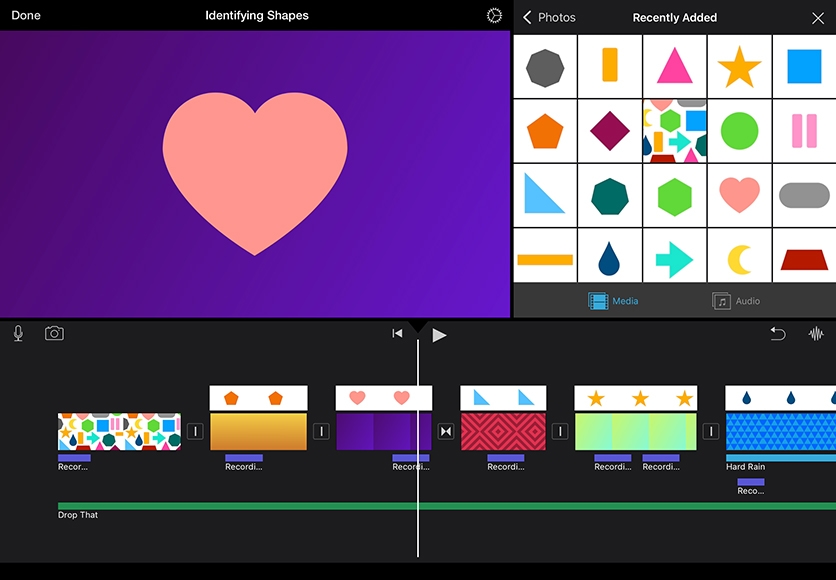
Share what you learnt and help others discover the Apple Teacher Programme.
A link to this page in the Apple Education Community has been copied to your clipboard.