

Lesson description
My Favourite Animal is an engaging, technology-integrated English writing activity designed for Year 1 pupils. Using Apple Pages and Apple Pencil on the iPad, pupils explore animal pictures, identify their favourite animal, and write simple descriptive sentences using familiar vocabulary and adjectives. They use the writing template, pictures and handwriting tools in Pages to develop their ideas and produce a short digital writing piece.
The activity encourages creativity, vocabulary development, early writing and penmanship skills, and confidence in expressing ideas in English.
Lesson Overview
- School Level: Malaysian Primary School
- Subject: English
- Year: Year 1–2
- Topic / Unit: My Favourite Animal
- Curriculum Alignment: Writing - Communicate simple information about familiar topics using words and simple sentences.
- Duration: 60 minutes
- Apple Technology: iPad & Apple Pencil
- Apps Used: Pages
Learning Objectives
By the end of the lesson, pupils should be able to:
- Identify their favourite animal and describe it using at least two suitable adjectives.
- Write 2–3 simple sentences about their favourite animal using a guided writing template in Apple Pages.
- Use capital letters and full stops appropriately in their writing.
- Read the sentences about their favourite animal.
About the Learning Activity
Pupils will complete a guided digital writing activity titled My Favourite Animal using the Apple Pages module.
The module provides a visual starting point and writing space to help pupils organise their ideas. Pupils will choose an animal, write its name, describe its appearance using simple adjectives and compose short sentences about it using the correct punctuation.
Learning Activity
Set Induction :
- Teacher displays pictures of familiar animals.
- Pupils identify and name the animals in English.
- Teacher introduces the topic, My Favourite Animal.
- Pupils share their favourite animals with classmates.
- Teacher displays pictures of familiar animals.
- Pupils identify and name the animals in English.
- Teacher introduces the topic, My Favourite Animal.
- Pupils share their favourite animals with classmates.
Vocabulary building - Describe the animal :
- Teacher introduces animal vocabulary and simple adjectives.
- Pupils practise describing animals using words such as:
- cat : cute, furry
- rabbit : small, fluffy
- elephant : big, strong
- fish : colourful, small
- lion : big, brave
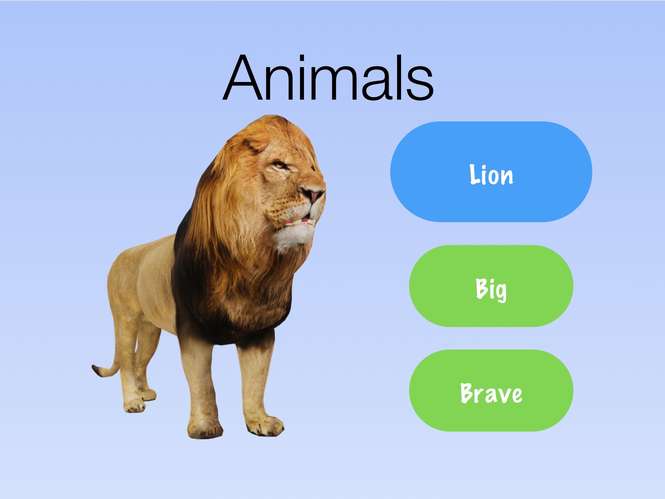
Teacher modelling – Explore Apple Pages:
1.Teacher demonstrates how to open the Pages module on the iPad.
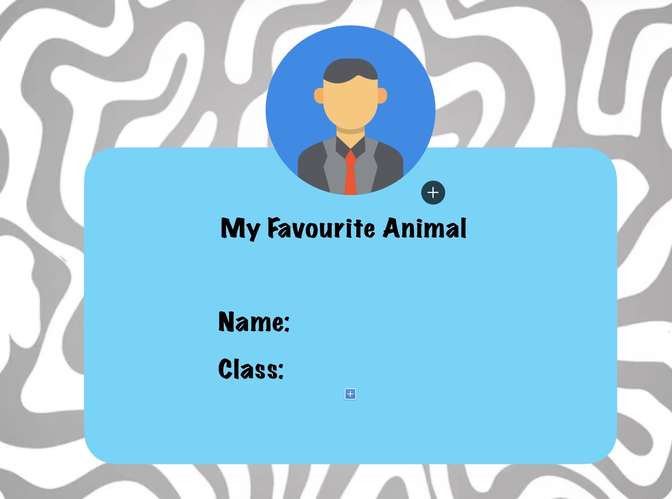
2.Teacher guides pupils on how to select or identify an animal, write their answers using the Apple pencil and use the writing space.
3.Teacher models how to construct simple sentences using the sentence starters provided.
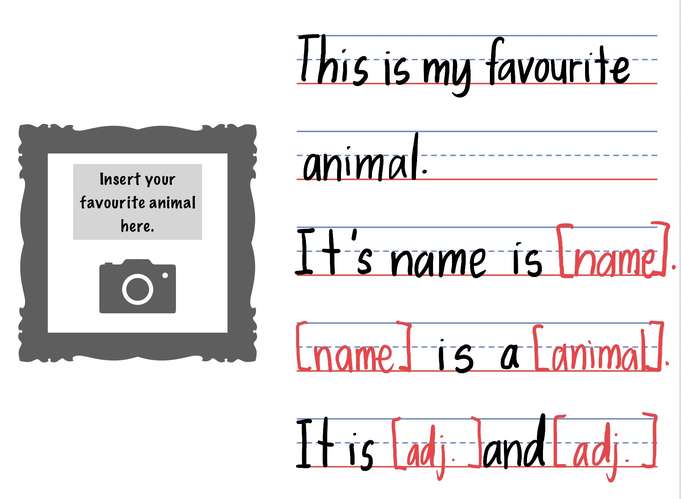
4.Teacher demonstrates the use of capital letters and full stops.
Main activity – My Favourite Animal:
- Pupils complete the digital writing worksheet independently or with guidance.
- Teacher moves around the classroom to provide individual support and feedback.
Sharing and reflection:
- Selected pupils share their digital writing with the class.
- Pupils read their sentences aloud.
- Teacher celebrates pupils' efforts and provides constructive feedback.
- Pupils save their completed work for their digital portfolio.
Learning Outcomes
At the end of the lesson, pupils are expected to:
- Recognise and spell familiar animal vocabulary.
- Use simple adjectives to describe animals.
- Construct meaningful and grammatically appropriate simple sentences.
- Demonstrate basic digital literacy by using Apple Pages to complete a writing task.
- Express personal ideas and preferences confidently in English.
Tips for educators
Prepare the iPads beforehand: Ensure that the Pages worksheet is accessible to all pupils before the lesson begins.
Provide clear demonstrations: Show pupils how to use the basic Pages functions, including typing, editing, writing using an Apple Pencil and saving their work.
Differentiate the activity: Provide sentence starters and word banks for pupils who need additional support. Encourage more advanced pupils to write additional descriptive sentences.
Classroom application
This lesson can be implemented in a Year 1 classroom as part of a guided digital writing session. Pupils work individually using iPads, while the teacher facilitates learning through demonstrations, questioning and personalised guidance.
The completed worksheets can also be stored in pupils' digital portfolios to monitor their writing development over time.
Conclusion
The My Favourite Animal lesson integrates English writing skills with Apple technology to create an interactive and meaningful learning experience. Through Apple Pages, Year 1 pupils develop their ability to express ideas in simple English while building creativity, independence and digital literacy.
By combining visual learning, guided writing and technology integration, the lesson makes writing more enjoyable, accessible and engaging for young learners.






Attach up to 5 files which will be available for other members to download.