

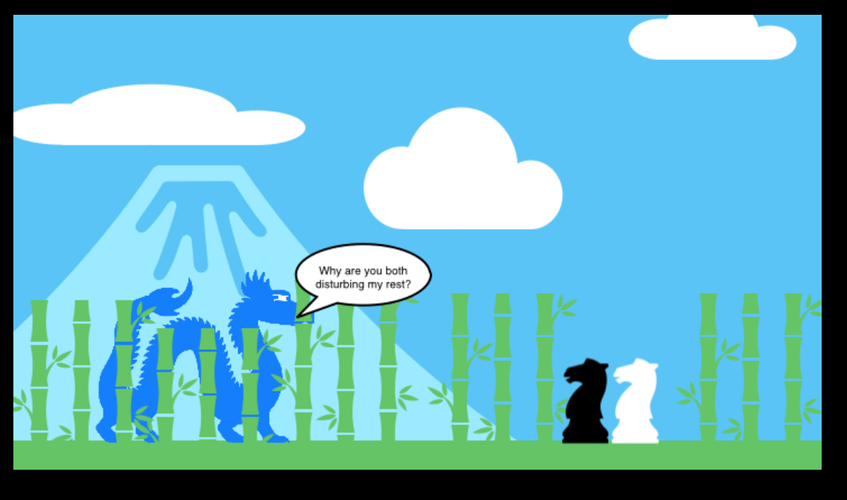
The Mistaken Knight by Caven Chew from St. Xavier's Institution Penang

1. Introduction
A picture can communicate a thousand words, and a creative illustration can tell a story without saying anything at all! In this activity, students explored Apple Keynote as a digital platform for visual storytelling. They learned how to combine shapes, colours, images and graphic elements to communicate ideas, express emotions and create meaningful visual compositions.
2. Content
Students explored different creative features in Apple Keynote to develop their visual storytelling skills.
- Visual Idea Development: Planned their concepts and explored ways to communicate messages through images.
- Digital Illustration: Used shapes, lines and graphic elements to create characters, objects and backgrounds.
- Colour and Emotion: Experimented with colour combinations to establish mood and atmosphere.
- Visual Composition: Arranged and layered elements to create meaningful and engaging scenes.
- Animation and Movement: Applied animation effects to selected elements to enhance their visual narratives.
Through this activity, students developed their artistic expression, visual communication and digital design skills. They also discovered how images and design elements can work together to tell stories and communicate messages creatively.
3. Conclusion
A heartfelt thank you to all my students for their imagination, creativity and wonderful efforts. I am proud to see how each of you has transformed your ideas into unique visual creations.
Their artwork reminds us that storytelling is not limited to words. Sometimes, a single image can communicate an entire world of ideas, emotions and imagination.
See beyond the image. Discover the story. Celebrate creativity.
#AppleEducation #AppleKeynote #VisualStorytelling #DigitalArt #DigitalCreativity #StudentArtwork






Attach up to 5 files which will be available for other members to download.