

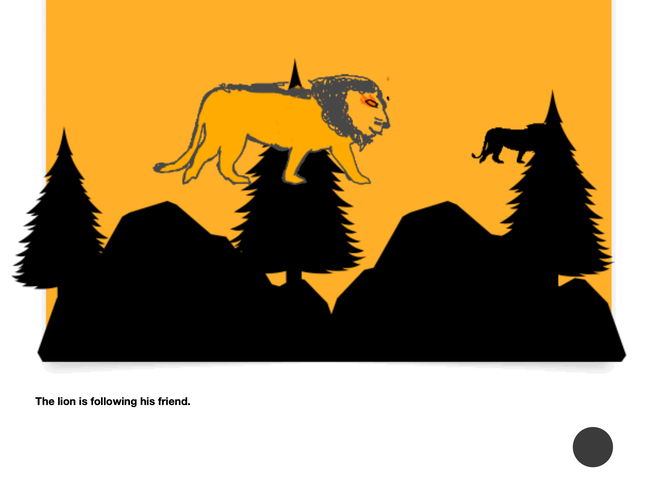
The Lion the Forest by Mark Jerome from St. Xavier's Institution Penang
1. Introduction
Who says presentation slides are only meant for presenting information? With creativity and imagination, every slide can become a piece of digital artwork! In this activity, students explored Apple Keynote as an artistic platform to create original digital illustrations. They discovered how simple design elements could be combined to produce visually appealing compositions, one slide at a time.
2. Content
Students explored various features of Apple Keynote to develop their digital artwork.
- Slide as a Canvas: Used blank slides as a space for creative exploration and artistic expression.
- Shapes and Illustrations: Combined geometric shapes, lines and graphic elements to construct original designs.
- Colour and Typography: Experimented with colour combinations, fonts and visual effects to enhance their artwork.
- Composition and Arrangement: Explored balance, alignment, proportion and layering to create interesting visual compositions.
- Animation and Presentation: Applied animation effects and transitions to enhance selected artwork and showcase their creations.
Through this activity, students developed their digital art, visual communication and design skills. They also discovered that Apple Keynote can be used beyond traditional presentations, offering opportunities for illustration, animation and creative experimentation.
3. Conclusion
A heartfelt thank you to all my students for their creativity, patience and dedication. I am delighted to see how each of you has transformed a simple slide into a unique digital creation.
Every slide represents an idea, every design reflects imagination, and every completed artwork is a reminder that creativity can happen anywhere.
One slide at a time. One idea at a time. One masterpiece at a time.
#AppleEducation #AppleKeynote #DigitalArt #DigitalDesign #CreativeLearning #StudentArtwork






Attach up to 5 files which will be available for other members to download.