

In my role as a campus administrator, one of my responsibilities is to observe my classroom teachers, rate the lesson based on a rubric, and provide targeted, specific feedback for their professional growth. Two tools I use to make this task efficient and effective are Voice Memos and Numbers.
Using Numbers to Script the Lesson
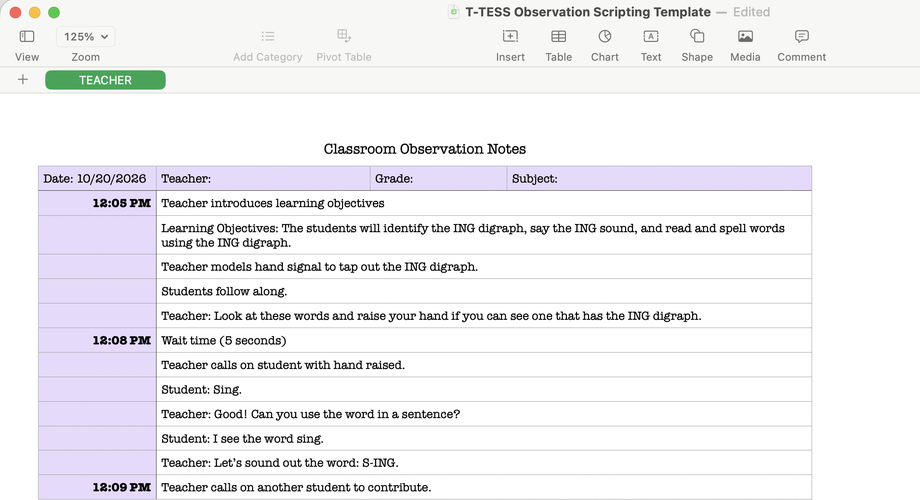
While I am in the classroom during the lesson, I take notes, scripting the teacher moves, student responses, and other observable artifacts. I use Numbers because of the simple organization structure it provides. I also use the keyboard shortcut Control + Command + Shift + T to insert the current time alongside certain observations I note.
Transcription in Voice Memos
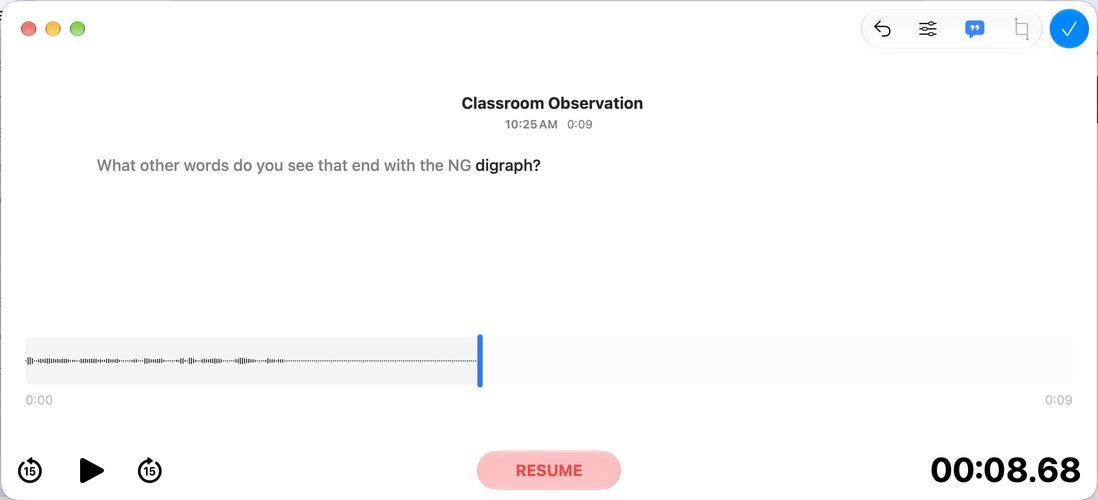
While I am scripting notes in Numbers, I capture the classroom audio using Voice Memos. Then, when I am ready to review my scripting and write up the observation for the teacher, I view the transcribed text to fill in any gaps in my notes from the lesson.
What digital tools do you use to script classroom observations in order to provide feedback to classroom teachers?






Attach up to 5 files which will be available for other members to download.