

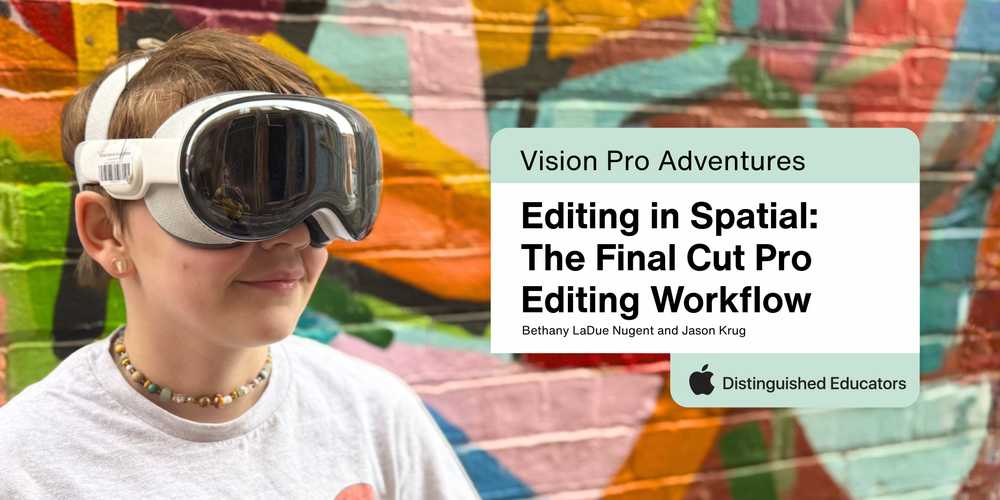
From Raw Footage to Immersive Storytelling: Bringing Student Creations to Life
In Spring 2026, our students reached an exciting new stage in their spatial computing journey: transforming the immersive footage they had captured into polished, shareable stories. The goal was ambitious. Students would take raw spatial video captured on iPhones, organize their footage, and use Final Cut Pro to create high-quality, 30-second clips that they could experience all over again in Apple Vision Pro. But getting from capture to creation would require a little ingenuity, a lot of collaboration, and some real-time problem-solving.
Technical Preparation and Pivots
Behind the scenes, the work began before students ever opened an editing timeline. Our technician, Logan, and Mark from Insight prepared the MacBooks with Final Cut Pro, only to encounter an unexpected roadblock: the laptops initially permitted administrative logins but not individual student accounts. With the next day’s sessions approaching, Dan, Logan, and several teachers rallied together, working until nearly 6:00 PM to get the devices ready. It was a powerful example of the teamwork and flexibility required to make an ambitious learning experience possible.
Once the editing sessions began, we encountered another challenge: scale. With approximately 160 devices in play—including Apple Vision Pro headsets, MacBooks, and iPhones—our network struggled to keep up with the enormous volume of data moving between devices. AirDrop, our initial transfer method, quickly became a bottleneck as students worked with massive 4K spatial video files.
Rather than let technical snags derail the experience, we adapted. We pivoted to external hard drives, manually transferring the large video files from iPhones to MacBooks. It wasn’t the most glamorous part of the process, but it was a practical solution that kept students moving forward. In a project built around innovation, the ability to rethink a workflow and find another way became a learning experience in itself.
The Editing Process: Learning to Shape the Story
With the footage transferred and the MacBooks ready, students stepped into the world of professional video editing. Jim Harmon led the instructional sessions, introducing students to the Final Cut Pro ecosystem and helping them understand how Libraries, Events, and Projects work together to organize and shape their footage.
For many students, this was their first experience with the software. Before long, however, they were importing their own recordings, adjusting lighting, experimenting with transitions, and adding titles. What had started as raw footage was beginning to take shape as intentional storytelling.
Of course, working with spatial video brought its own challenges. Some students had captured clips as long as seven minutes, producing files several gigabytes in size. Those massive files weren’t always practical for sharing and viewing, so students learned to duplicate their projects and edit them down to focused, 30-second highlights.
This wasn’t simply about trimming a video to meet a requirement. It challenged students to make creative decisions: Which moments best communicated their ideas? What details deserved to stay? How could they tell a compelling story in just half a minute? The editing process pushed them to think critically about both the technical and artistic sides of their work.
The Final Payoff: Seeing Their World Through Their Own Eyes
The most rewarding moment came when students AirDropped their finished 30-second clips back into their Apple Vision Pro headsets. After hours of capturing, transferring, troubleshooting, and editing, they could finally step back into their own creations and experience the results in an immersive, spatial environment.
Suddenly, the downtown streets and local parks they had filmed weren’t just footage on a screen. They were places students could revisit through the immersive experiences they had created themselves. Their choices around lighting, stabilization, composition, and editing became tangible in an entirely new way.
That final step brought the entire workflow full circle. Students weren’t simply exploring immersive content created by someone else; they were experiencing the results of their own ideas, decisions, and creativity. They had moved from capturing the world around them to shaping how others could experience it.
The real payoff wasn’t just a finished 30-second video. It was seeing students take ownership of the entire creative process—from capturing spatial footage to editing it and ultimately experiencing their own work in an immersive environment. We were proud to overcome technical hurdles along the way, and watch as students discovered what it means to be creators in a spatial computing world, transforming familiar places in their community into experiences they could share with others.






Attach up to 5 files which will be available for other members to download.